
<?xml version="1.0" encoding="UTF-8"?>
<rss version="2.0"
	xmlns:content="http://purl.org/rss/1.0/modules/content/"
	xmlns:wfw="http://wellformedweb.org/CommentAPI/"
	xmlns:dc="http://purl.org/dc/elements/1.1/"
	xmlns:atom="http://www.w3.org/2005/Atom"
	xmlns:sy="http://purl.org/rss/1.0/modules/syndication/"
	xmlns:slash="http://purl.org/rss/1.0/modules/slash/"
	>

<channel>
	<title>PsPrint Blog &#187; Britt</title>
	<atom:link href="http://blog.psprint.com/author/britt/feed/" rel="self" type="application/rss+xml" />
	<link>http://blog.psprint.com</link>
	<description>More than just an online printing company, PsPrint is your integrated marketing and direct mail partner.</description>
	<lastBuildDate>Thu, 11 Mar 2010 00:01:32 +0000</lastBuildDate>
	<generator>http://wordpress.org/?v=2.9.1</generator>
	<language>en</language>
	<sy:updatePeriod>hourly</sy:updatePeriod>
	<sy:updateFrequency>1</sy:updateFrequency>
			<item>
		<title>Mailing Labels on Wedding Invites: Tacky or Totally Fine?</title>
		<link>http://blog.psprint.com/printing/mailing-labels-wedding-invites/</link>
		<comments>http://blog.psprint.com/printing/mailing-labels-wedding-invites/#comments</comments>
		<pubDate>Wed, 10 Mar 2010 18:44:04 +0000</pubDate>
		<dc:creator>Britt</dc:creator>
				<category><![CDATA[Graphic design]]></category>
		<category><![CDATA[Printing]]></category>
		<category><![CDATA[mailing labels]]></category>
		<category><![CDATA[unique wedding invitations]]></category>

		<guid isPermaLink="false">http://blog.psprint.com/?p=6148</guid>
		<description><![CDATA[<p>Watch your mailbox for those ivory-colored envelopes announcing spring and summer nuptials, because wedding season is fast approaching.</p>
<p>Imagine you&#8217;ve received a wedding invite in a large, lovely beige <a href="http://www.psprint.com/envelopes">envelope </a>made from thick card stock. What if the name of the&#8230;</p>]]></description>
			<content:encoded><![CDATA[<p>Watch your mailbox for those ivory-colored envelopes announcing spring and summer nuptials, because wedding season is fast approaching.</p>
<p>Imagine you&#8217;ve received a wedding invite in a large, lovely beige <a href="http://www.psprint.com/envelopes">envelope </a>made from thick card stock. What if the name of the host was inscribed in the upper left corner, but your name and address were stuck on a <a href="http://www.psprint.com/stickers-labels">mailing label</a>?<span id="more-6148"></span></p>
<p>Do you think the mailing label would appear tacky, or would you think it was a respectable way for a bride and groom to save time (no handwritten calligraphy-attempts) and money (no personalized printing) on their invites?</p>
<p>Ultimately any invitation should correspond with the formality of the event. If it&#8217;s a black tie affair, than a mailing label might be a faux-pas, but if it&#8217;s a casual garden party, then a mailing label will probably go unnoticed by guests completely.  (With all due respect to the bride, she&#8217;s probably the only one who will pay that much careful attention to the invitation envelope. Most folks will rip the invite open, toss the envelope in the trash and keep the parts with the wedding date and location).</p>
<p>So couples must use their best judgment in choosing to use mailing labels on wedding invites. Check out these tips below for printing wedding invitation mailing labels that work:</p>
<p><strong>Reserve labels for replies</strong><br />
The reply card is where the bride and groom can get away with using a mailing label either for their own return address or personalized for their guests.</p>
<p><strong>Send the replies to the right place</strong><br />
When printing wedding reply card labels, remember to have guests send responses to the host or whoever is planning the event. This could be the couple, the couple&#8217;s parents, or an extended family member or wedding planner.</p>
<p><strong>Choose a subdued stock</strong><br />
There are many ways to customize labels so that they work well with the wedding invitation. For example, sheer or matte labels are more versatile and more likely to go with the invite than glossy labels.</p>
<p><strong>Match fonts</strong><br />
It&#8217;s also important to match the mailing label fonts with the invitation fonts (an exact match if possible).  If you use a script font, then use a larger point size to bring out the first letters of each line of text on the address label, it will make the writing look more elegant.</p>
<p><strong>Have fun </strong><br />
Dress labels up using a floral, lace or other decorative pattern as a background image.  Another idea would be to use a <a href="http://www.psprint.com/die-cut-stickers">custom die-cut </a>to shape the label into a heart or a symbol associated with the type of party, such as a sailboat for the seaside or skyline for a city event.<br />
<em><br />
Leave us your thoughts in the comments section. What do you think about mailing labels on wedding invitations harmless or horrible?<br />
</em></p>
<p>&copy;2010 <a href="http://blog.psprint.com">PsPrint Blog</a>. All Rights Reserved.</p>.]]></content:encoded>
			<wfw:commentRss>http://blog.psprint.com/printing/mailing-labels-wedding-invites/feed/</wfw:commentRss>
		<slash:comments>1</slash:comments>
		</item>
		<item>
		<title>Postcard Templates and Resources</title>
		<link>http://blog.psprint.com/small-business-marketing/postcard-templates-and-resources/</link>
		<comments>http://blog.psprint.com/small-business-marketing/postcard-templates-and-resources/#comments</comments>
		<pubDate>Mon, 08 Mar 2010 23:56:12 +0000</pubDate>
		<dc:creator>Britt</dc:creator>
				<category><![CDATA[Printed marketing materials]]></category>
		<category><![CDATA[Small business marketing]]></category>
		<category><![CDATA[Useful websites]]></category>
		<category><![CDATA[postcard templates]]></category>
		<category><![CDATA[postcards]]></category>

		<guid isPermaLink="false">http://blog.psprint.com/?p=6127</guid>
		<description><![CDATA[<p>Postcard marketing is a staple of small business and freelance success. Postcards are less costly to print and mail than regular direct-mail packages. They are also sans-envelope, and recipients don&#8217;t have to decide whether or not to open your marketing&#8230;</p>]]></description>
			<content:encoded><![CDATA[<p>Postcard marketing is a staple of small business and freelance success. Postcards are less costly to print and mail than regular direct-mail packages. They are also sans-envelope, and recipients don&#8217;t have to decide whether or not to open your marketing mail &#8211; they can just read it!</p>
<p>Here is a quick roundup of online resources to help with your next <a href="http://www.psprint.com/postcards">postcard</a> marketing campaign. <span id="more-6127"></span>If you are looking for postcard design templates, postcard layout ideas or marketing and printing advice, check out the links below:</p>
<p><strong>Postcard templates and layouts</strong><br />
Maybe you know what you want to say, but just don&#8217; t know how to say it on a postcard? Then visit <a href="http://www.postcard-template.com">www.postcard-template.com</a> for a few basic templates that will get you started. For postcard layout ideas that are guaranteed to make an impression, check out <a href="http://www.psprint.com/resources/creative-design/postcards/postcard-layout-ideas-that-clients-love.asp">this article</a>.  There&#8217;s also <a href="http://www.stocklayouts.com/Templates/Postcards/Postcard-Templates-Designs-Library.aspx">stocklayouts.com</a>, which has more than 100 fully designed postcard layouts organized by industry. You&#8217;d only need to drop-in a logo and business information for any of the $69 designs.</p>
<p>When you are ready to print your cards, check out these <a href="http://www.psprint.com/postcards" >postcard printing</a> <a href="http://www.psprint.com/creative/downloads/templates/postcard_printing_templates.asp">templates</a>, which include guidelines for live areas and bleeds. There&#8217;s also an <a href="http://www.psprint.com/resources/direct-mail-marketing/postcards/using-templates-to-create-direct-mail-postcards.asp">accompanying article</a> explaining how to use the technical <a href="http://www.psprint.com/postcards" >postcard printing</a> templates.</p>
<p><strong>Postcard design and marketing articles</strong><br />
<a href="http://www.postcardsmart.com/basic.php">Postcardsmart.com</a> is a great resource for all things direct mail, especially postcards. There are articles on response, custom printing, design inspiration and more.</p>
<p>I also published an article on successful postcard design in <a href="http://www.printprofessionalmag.com/article/8-ways-design-successful-postcards-403203/1"><em>Print Professional</em></a> magazine and another article on postcard marketing on the<a href="http://blog.psprint.com/small-business-marketing/postcard-marketing-strategies/"> PsPrint blog</a>. Valerie also wrote two more great postcard articles on our blog. The first post is about <a href="http://blog.psprint.com/printing/digital-or-offset-printing/ and">whether to use digital or offset printing for postcards</a>, and the other post details <a href="http://blog.psprint.com/printing/postcard-mailing-regulations/">mailing regulations that may affect your postcard design</a>.</p>
<p>&copy;2010 <a href="http://blog.psprint.com">PsPrint Blog</a>. All Rights Reserved.</p>.]]></content:encoded>
			<wfw:commentRss>http://blog.psprint.com/small-business-marketing/postcard-templates-and-resources/feed/</wfw:commentRss>
		<slash:comments>0</slash:comments>
		</item>
		<item>
		<title>Avoid Printing Cheap-Looking Business Cards</title>
		<link>http://blog.psprint.com/printing/avoid-cheap-business-cards/</link>
		<comments>http://blog.psprint.com/printing/avoid-cheap-business-cards/#comments</comments>
		<pubDate>Fri, 05 Mar 2010 18:05:41 +0000</pubDate>
		<dc:creator>Britt</dc:creator>
				<category><![CDATA[Business card printing]]></category>
		<category><![CDATA[Printing]]></category>
		<category><![CDATA[Small business marketing]]></category>
		<category><![CDATA[business cards]]></category>
		<category><![CDATA[cheap business cards]]></category>

		<guid isPermaLink="false">http://blog.psprint.com/?p=6112</guid>
		<description><![CDATA[<p>A business card is like a handshake. It&#8217;s part of the first impression folks get when they meet you. You don&#8217;t want your handshake to be too weak and floppy, nor do you want an intense Arnold Schwarzenegger-like squeeze. And&#8230;</p>]]></description>
			<content:encoded><![CDATA[<p>A business card is like a handshake. It&#8217;s part of the first impression folks get when they meet you. You don&#8217;t want your handshake to be too weak and floppy, nor do you want an intense Arnold Schwarzenegger-like squeeze. And forget putting both of your hands around the other person&#8217;s hands &#8211;  a.k.a the hand-sandwich &#8211; it&#8217;s just too creepy.</p>
<p>When it comes to business cards, the same handshake rules pretty much apply. <span id="more-6112"></span>A business card will flop if the paper stock is flimsy and the type is too small, light or hard to read. Business cards also self-destruct when they go overboard with heavy-handed designs that look outdated or distract from what it is the person or business does. To avoid cheap-looking or ineffective <a href="http://www.psprint.com/business-cards">business cards,</a> follow these three tips belows;</p>
<p><strong>1. Choose a reliable printer</strong><br />
I once thought I could create my own business cards for my freelance writing business, using a calligraphy pen and some blank card stock from the stationery store. Boy was I wrong! The cards came out looking like a 5-year old made them and became more of a joke than an actual business promotion. Get in touch with your trusted <a href="http://www.psprint.com">print vendor</a>, to be sure that the printing and paper quality meet your expectations.  The best printers will also offer <a href="http://www.psprint.com/print_services/services/design/index.asp">design</a> and printing advice to help make your card a success.  Always ask for a digital proof before the cards are printed to avoid embarrassing typos and graphic design mishaps.</p>
<p><strong>2. Make the paper work for you</strong><br />
For a firm business card that won&#8217;t seem cheap or flimsy when you hand it out, choose a 12-point paper thickness or higher. Most printers will offer matte and glossy or coated <a href="http://www.psprint.com/resources/printing-tips-and-techniques/business-cards/avoiding-cheap-business-card-paper-stock.asp">paper stocks</a>. Think about your company&#8217;s logo, the font you&#8217;re using and whether or not you&#8217;ll be doing a black-and-white or <a href="http://www.psprint.com/resources/creative-design/business-cards/simple-color-combinations-for-your-business-cards.asp">color business card</a>. All of these factors can help you determine whether a glossy or matte finish will look best. If you want to get creative, use die cuts to enhance the card&#8217;s design and make it stand out. Some companies will round the edges of their cards or just round one edge for a unique feel. If the company name begins with a &#8220;V,&#8221; the business card could also feature a V-shaped die cut on one of the edges, to underscore the company name.</p>
<p><strong>3. Don&#8217;t forget to sell!</strong><br />
If you work for a Fortune 500 company or a brand that everyone knows, it&#8217;s acceptable to simply put your company name, title and contact information on the business card. However, if you are a freelancer or part of a small business,  it&#8217;s vital to include as much information as possible about what you do and what services your business offers. Include a tagline that describes your company, or be sure that your title actually describes what you do to help customers. Don&#8217;t be afraid to use the real estate on the <a href="http://www.psprint.com/resources/small-business-marketing/business-cards/double-sided-business-cards.asp">back of the card</a> as well. It can be a great place to put a short customer testimonial, list links to all of your social media assets or feature a list of all your available products or services.</p>
<p>&copy;2010 <a href="http://blog.psprint.com">PsPrint Blog</a>. All Rights Reserved.</p>.]]></content:encoded>
			<wfw:commentRss>http://blog.psprint.com/printing/avoid-cheap-business-cards/feed/</wfw:commentRss>
		<slash:comments>0</slash:comments>
		</item>
		<item>
		<title>3 ways to repurpose vacation photos</title>
		<link>http://blog.psprint.com/printing/ways-repurpose-vacation-photos/</link>
		<comments>http://blog.psprint.com/printing/ways-repurpose-vacation-photos/#comments</comments>
		<pubDate>Wed, 03 Mar 2010 20:35:57 +0000</pubDate>
		<dc:creator>Britt</dc:creator>
				<category><![CDATA[Poster printing]]></category>
		<category><![CDATA[Printing]]></category>
		<category><![CDATA[greeting cards]]></category>
		<category><![CDATA[postcards]]></category>
		<category><![CDATA[poster ideas]]></category>

		<guid isPermaLink="false">http://blog.psprint.com/?p=6002</guid>
		<description><![CDATA[<p><a rel="attachment wp-att-6009" href="http://blog.psprint.com/printing/ways-repurpose-vacation-photos/attachment/img_1476/"></a></p>
<p>Have you been lucky enough to go on a vacation recently? Not just a weekend trip to the beach, but a real vacation. A journey to a distant, unknown and beautiful place where you escaped your daily routine and felt&#8230;</p>]]></description>
			<content:encoded><![CDATA[<p><a rel="attachment wp-att-6009" href="http://blog.psprint.com/printing/ways-repurpose-vacation-photos/attachment/img_1476/"><img class="alignleft size-thumbnail wp-image-6009" src="http://blog.psprint.com/wp-content/uploads/2010/03/IMG_1476-150x150.jpg" alt="" width="150" height="150" /></a></p>
<p>Have you been lucky enough to go on a vacation recently? Not just a weekend trip to the beach, but a real vacation. A journey to a distant, unknown and beautiful place where you escaped your daily routine and felt like a new person.</p>
<p>You know those hundreds of digital images you took while you were away? I bet you&#8217;ve already showed them to friends and co-workers, who feigned enthusiasm in response. <span id="more-6002"></span>Now how about turning those pictures into souvenirs that you can post in your home or office to remind you of the wonderful memories and feelings you had while away?</p>
<p>Here are three ways to repurpose vacation photos as printed memorabilia:</p>
<p><strong>1. Print black-and-white postcards</strong><br />
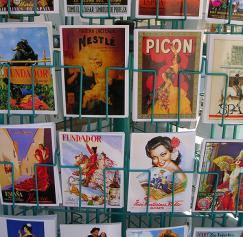
This format works just as well for panoramic shots of vistas and monuments, as it does for more simple street scenes or focused pictures of objects. Choose a few standout images from your trip and center the image on the front of the <a href="http://www.psprint.com/postcards">postcard</a>. Use black-and-white printing on matte paper and add a small white border around the edges to make the postcard look like a vintage print. Include a description of the photo on the back of the card, along with an address and stamp area, if you&#8217;d like to mail these to family and friends. Or leave the back blank, and frame a few of the postcards to hang as a set in your home.</p>
<p><strong>2. Design an inspiring poster</strong><br />
There&#8217;s nothing more rewarding than wanting to visit a famous place and then planning and saving up money until you can finally travel there. Savor that moment when you stood at last on top of the Eiffel tower or in front of the Taj Mahal with an inspirational <a href="http://www.psprint.com/posters">poster</a>. The poster doesn&#8217;t have to focus on the most stupendous part of the vacation, there are a lot of other little snapshots that might stand out to you as poster-worthy, such as a beautiful nature shot, a candid photograph of a local person or a lesser known building. You can create a full-bleed poster with just the image itself, or add a border and some inspirational text or a quote particular to the photograph, region or memory.</p>
<p><strong>3. Thank-you or greeting cards</strong><br />
Design a set of <a href="http://psprint.com/greeting-cards">greeting cards</a> or thank-you cards around images from your recent trip. For newlyweds returning from a honeymoon, using a photograph from your trip as the center-piece for your thank-you notes is a nice touch. If you want to create a more subtle greeting card, use Photoshop to isolate one element of an photograph, such as a palm tree against a coastline or a skyline and create an outline or illustration from that initial image. This outline or illustration would serve well centered and <a href="http://www.psprint.com/print_services/services/specialtyprinting/foilstaamping.asp">foil stamped</a> on the front of the card.</p>
<p>&copy;2010 <a href="http://blog.psprint.com">PsPrint Blog</a>. All Rights Reserved.</p>.]]></content:encoded>
			<wfw:commentRss>http://blog.psprint.com/printing/ways-repurpose-vacation-photos/feed/</wfw:commentRss>
		<slash:comments>0</slash:comments>
		</item>
		<item>
		<title>Printing Custom Birthday Invitations</title>
		<link>http://blog.psprint.com/printing/printing-custom-birthday-invitations/</link>
		<comments>http://blog.psprint.com/printing/printing-custom-birthday-invitations/#comments</comments>
		<pubDate>Mon, 01 Mar 2010 18:06:33 +0000</pubDate>
		<dc:creator>Britt</dc:creator>
				<category><![CDATA[Graphic design]]></category>
		<category><![CDATA[Printing]]></category>
		<category><![CDATA[birthday invitations]]></category>
		<category><![CDATA[invitation printing]]></category>

		<guid isPermaLink="false">http://blog.psprint.com/?p=5817</guid>
		<description><![CDATA[<p><a rel="attachment wp-att-5819" href="http://blog.psprint.com/printing/printing-custom-birthday-invitations/attachment/birthday-cupcake/"></a>Looking for unique birthday invitations for your next celebration? You can try going to the local pharmacy or even a paper boutique, but all you&#8217;ll find are high-priced cookie-cutter invites.</p>
<p>When buying out-of-the-box invites, you run the risk of using the&#8230;</p>]]></description>
			<content:encoded><![CDATA[<p><a rel="attachment wp-att-5819" href="http://blog.psprint.com/printing/printing-custom-birthday-invitations/attachment/birthday-cupcake/"><img class="alignleft size-thumbnail wp-image-5819" src="http://blog.psprint.com/wp-content/uploads/2010/02/birthday-cupcake-150x150.jpg" alt="" width="150" height="150" /></a>Looking for unique birthday invitations for your next celebration? You can try going to the local pharmacy or even a paper boutique, but all you&#8217;ll find are high-priced cookie-cutter invites.</p>
<p>When buying out-of-the-box invites, you run the risk of using the same invites as someone else and you&#8217;ll have to fill in all of the party information yourself, by hand.<span id="more-5817"></span></p>
<p>With custom-printed birthday invites, you&#8217;ll really capture the theme or tone of the occasion and all the party details will be printed out in any font you&#8217;d like. Here are some tips for getting started with designing and printing your own invitations:</p>
<p><strong>Format options</strong><br />
First decide whether you&#8217;d like a <a href="http://www.psprint.com/greeting-cards">greeting card</a> and <a href="http://www.psprint.com/envelopes">envelope</a> format, or a<a href="http://www.psprint.com/postcards"> postcard</a>. If it&#8217;s a really special birthday, like a first birthday, sweet 16 or a 50th, then a more elegant greeting card and envelope format is appropriate. But for a backyard party, or simple get-together, a postcard invitation is a fine choice. It will save you costs on printing and postage, but will be just as unique and personalized as a greeting card format. Talk to your printing vendor about all the different templates available. There may even be some custom <a href="http://www.psprint.com/print_services/services/specialtyprinting/index.asp">die-cut</a> greeting card shapes available that fit your invitation needs.</p>
<p><strong>Theme and design</strong><br />
Now think about the theme or tone of the birthday. Many printers also offer <a href="http://www.psprint.com/print_services/services/design/index.asp">graphic design services</a>, but these days, if you have access to Photoshop or similar software you can design on your own.</p>
<p>For a child&#8217;s birthday, search for photographs or illustrations on <a href="http://blog.psprint.com/printing/great-and-free-places-to-download-high-res-stock-photography/">stock image sites</a> that would fit with the child&#8217;s interests: dinosaurs, dolls, spaceships, animals, etc. If the party is focused around an activity such as bowling or arts and crafts, then use a related image.</p>
<p>For older adolescents and adults, use a simple design such as a thick white matte paper stock with black script font and little <a href="http://www.psprint.com/print_services/services/specialtyprinting/foilstamping.asp">foil-stamped</a> stars imprinted all over the background of the invite. Some folks like to advertise the number of years being celebrated with a big foil-stamped &#8220;60!&#8221; on the front of a greeting card. But be sure to check with your guest of honor, who may not be so keen to advertise their age! A picture of the birthday guy or gal, whether it&#8217;s a formal portrait or a wacky shot of them doing something silly, can be a fun image to put on the front of an invite, especially on a postcard format.<br />
<strong><br />
Writing down the details</strong><br />
As far as the text of the invitation goes, be sure you get all the important details on there. I&#8217;ve seen invites go out with the place, date, theme, what guests can bring &#8212; and no start time!! Include the name of the party&#8217;s host and an RSVP number or e-mail, too, so the planning is easier.  An RSVP deadline also helps give guests a time frame for response and with larger parties, a deadline can be a life-saver.</p>
<p>Unusual party ideas, such as group scuba diving lessons or day trips,  require more information than might fit on a greeting card.  Ask your printer about including another insert of the same paper stock,or a lighter stock with extra information. If space allows, hosts can add a small <a href="http://www.psprint.com/brochures">brochure</a> to the invite, too.  If the guests are coming from out of town, a map and directions from major highway routes is another nice add-on.</p>
<p>&copy;2010 <a href="http://blog.psprint.com">PsPrint Blog</a>. All Rights Reserved.</p>.]]></content:encoded>
			<wfw:commentRss>http://blog.psprint.com/printing/printing-custom-birthday-invitations/feed/</wfw:commentRss>
		<slash:comments>0</slash:comments>
		</item>
		<item>
		<title>Green Graphic Design Marketing</title>
		<link>http://blog.psprint.com/printing/green-graphic-design-marketing/</link>
		<comments>http://blog.psprint.com/printing/green-graphic-design-marketing/#comments</comments>
		<pubDate>Fri, 26 Feb 2010 18:17:51 +0000</pubDate>
		<dc:creator>Britt</dc:creator>
				<category><![CDATA[Eco-friendly printing]]></category>
		<category><![CDATA[Freelance]]></category>
		<category><![CDATA[Graphic design]]></category>
		<category><![CDATA[Printing]]></category>
		<category><![CDATA[eco-friendly marketing]]></category>

		<guid isPermaLink="false">http://blog.psprint.com/?p=5765</guid>
		<description><![CDATA[<p>Sustainability and environmental issues are at the forefront of consumers&#8217; minds and having expertise in green graphic design will add value to your business.</p>
<p>Yet there is a lot of hype and misinformation floating around when it comes to green business&#8230;</p>]]></description>
			<content:encoded><![CDATA[<p>Sustainability and environmental issues are at the forefront of consumers&#8217; minds and having expertise in green graphic design will add value to your business.</p>
<p>Yet there is a lot of hype and misinformation floating around when it comes to green business practices and green design.</p>
<div id="attachment_5768" class="wp-caption alignleft" style="width: 160px"><a rel="attachment wp-att-5768" href="http://blog.psprint.com/printing/green-graphic-design-marketing/attachment/greenwashing/"><img class="size-thumbnail wp-image-5768" src="http://blog.psprint.com/wp-content/uploads/2010/02/greenwashing-150x150.jpg" alt="" width="150" height="150" /></a><p class="wp-caption-text">Going green takes more than just a coat of green paint.</p></div>
<p>Below are three ways to focus on environmental issues as a graphic designer and provide truly green services and offerings for your clients:</p>
<p><strong>1. Green your business</strong><br />
In the town where I live there are two gourmet pizza shops on the same main street. One is run completely on solar power, the other is just a pizza shop. Which one do you think I choose to order from? Doing something to <a href="http://blog.psprint.com/printing/how-to-go-green-with-your-graphic-design-business/">green your business</a>, will attract like-minded, environmentally conscious consumers. It doesn&#8217;t have to be a costly solar panel installation. Something as simple as donating to an environmental cause, cutting down on your energy use or purchasing carbon offset credits can all make a difference. Be sure to mention any environmental initiatives on your website and any customer communications.</p>
<p><strong>2. Don&#8217;t be a greenwasher</strong><br />
While I am suggesting you green your business, don&#8217;t go overboard and become a <a href="http://en.wikipedia.org/wiki/Greenwash">greenwasher</a>. Nowadays there are more and more businesses and products branded to look environmentally friendly. Brown recycled paper, the color green and other &#8220;natural&#8221; design elements are becoming far too ubiquitous. Don&#8217;t fall into this greenwashing trap. Keep your branding, design and identity unique. You can mention a green initiative on the &#8220;about&#8221; page of your website, but there&#8217;s no need to overhaul all your copy and design to focus on the environment. Customers won&#8217;t buy it, and you&#8217;ll blend in with all of the other businesses who are selling empty green hype.</p>
<p><strong>3. Educate yourself on green production techniques</strong><br />
I don&#8217;t know how many times I&#8217;ve heard small businesses claim they want to focus on digital marketing because it&#8217;s more green. Print marketing is green, too! Educate yourself on <a href="http://www.psprint.com/resources/think-and-act-green/index.asp">green printing and paper sources </a>so that you can then pass that information along to clients. There are many certified sustainable paper companies out there as well as <a href="http://www.psprint.com">printing vendors</a> who offer soy-based inks and other energy and paper-saving initiatives. Talk to those folks who only want digital design services about how paper is a renewable resource, which can be managed sustainably, while digital campaigns eat up tons of power and resources in data centers all over the country!</p>
<p>&copy;2010 <a href="http://blog.psprint.com">PsPrint Blog</a>. All Rights Reserved.</p>.]]></content:encoded>
			<wfw:commentRss>http://blog.psprint.com/printing/green-graphic-design-marketing/feed/</wfw:commentRss>
		<slash:comments>0</slash:comments>
		</item>
	</channel>
</rss>